
A focused GA4 workspace for WordPress
Check the numbers in WordPress before opening another analytics tab.
Start with the Free seven-day dashboard. When reporting becomes part of the weekly operating rhythm, Pro adds the ranges, comparisons, realtime context and exports teams actually reach for.
The Pro workspace
More context without turning WordPress into GA4.
The goal is not to reproduce every Google Analytics screen. It is to surface the reporting views that help teams answer routine performance questions quickly.
30 / 90 days6 / 12 monthsYear to dateCustom rangePeriod comparisonRealtime
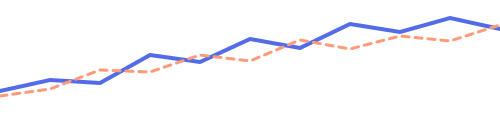
Traffic trendCompare: previous period · 38 active now
AcquisitionUsersChange
Organic Search18.4k+12%
Direct11.2k+4%
Referral7.8k+9%
Reporting layers
From pulse check to operating view.
Free answers “what happened this week?” Pro adds the context to ask “is it improving, who is arriving, and what changed?”
Compare
Current vs previous
Compare the current range with the previous period or the same period last year.
Audience
Acquisition, country, device
Expand the rows behind your audience and acquisition reports.
Now
Realtime active users
See current activity without leaving the WordPress dashboard.
Still the same foundation
Pro does not take over your tracking setup.
Tracking settings and the Google connection remain in the Free plugin, so upgrading reporting does not create a second configuration layer.
Tracking
Google tag or GTM, controlled by the Free plugin's explicit installation mode.

GA4 property
Data is collected by Google Analytics as normal.
Read-only reports
Free and Pro retrieve the reporting views you are entitled to see.
Export safely
When the report needs to leave WordPress, take the data with you.
Pro exports the report you are viewing to CSV and includes spreadsheet-formula protection for safer downloads.
Choose the reporting range
Use a preset or a custom date window.
Export the current report
Move the view into a spreadsheet without rebuilding the query manually.
Pro pricing
Use the free plugin. Upgrade when reporting needs more context.
Pro adds longer ranges, comparisons, realtime context and protected exports without changing how WP Global Site Tag handles tracking.
 Keep the Free plugin and existing Google connection
- Unlock deeper reporting views immediately
- Export the report you are viewing to protected CSV
Requires WP Global Site Tag Free 2.0.0 or newer. The Free plugin continues to own tracking settings and the Google connection.
WP Global Site Tag Pro
$60/year
Billed annually. Save 29% compared with monthly billing.
- Longer and custom ranges
- Previous-period / previous-year comparisons
- Realtime active users
- Advanced totals and selectable trend metrics
- Expanded acquisition, country and device reports
- Protected CSV export